
ThemePlus WordPress Plugin: 30 Free Theme Option Fields


The ThemePlus WordPress plugin is now officially live on the WordPress.org Plugin Directory — a free, open-source theme options framework built for developers who want a modern alternative to legacy admin panels.
If you build WordPress themes and have been looking for a clean, React-powered options framework, this one’s for you.
Install the ThemePlus WordPress Plugin
You can install the ThemePlus WordPress plugin directly from your WordPress admin:
Plugins → Add New → search “ThemePlus” → Install → Activate
Or visit the plugin page directly:
wordpress.org/plugins/themeplus
Try It Live Before You Install
Want to see it in action first? Launch a temporary WordPress instance with ThemePlus and a full demo theme pre-installed — no install, no setup, running entirely in your browser.
Powered by WordPress Playground — explore all 30 field types and the Conditional Logic Lab. Nothing is saved; the instance resets when you close the tab.
Why I Built the ThemePlus WordPress Plugin
Most existing theme options frameworks were built years ago — solid in their time, but carrying real technical debt today: jQuery-heavy admin UIs, inconsistent PHP 8 support, and interfaces that haven’t meaningfully evolved in a decade.
The ThemePlus WordPress plugin was built from scratch with none of that baggage. React powers the admin UI, modern PHP 8 runs the backend, and a Vite + @wordpress/scripts build pipeline keeps the whole thing at just 392KB.
What the ThemePlus WordPress Plugin Gives You
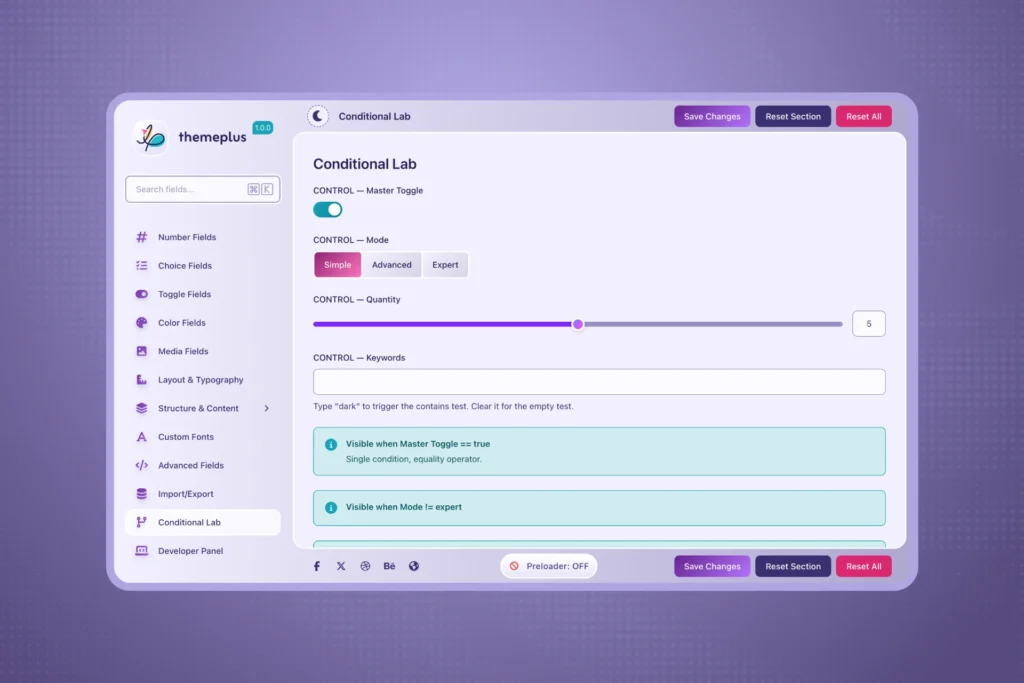
How to Use the ThemePlus WordPress Plugin
The entire API surface is intentionally small. Here’s a complete working example:
add_action( 'after_setup_theme', function () {
    if ( ! function_exists( 'themeplus_framework_config' ) ) {
        return;
    }

    themeplus_framework_config([
        'display_name' => 'My Theme',
        'opt_name'     => 'mytheme_options',
        'menu_slug'    => 'mytheme-settings',
    ]);
});

add_action( 'init', function () {
    if ( ! function_exists( 'themeplus_add_section' ) ) {
        return;
    }

    themeplus_add_section([
        'id'     => 'general',
        'title'  => 'General Settings',
        'icon'   => 'cog',
        'fields' => [
            [
                'id'      => 'primary_color',
                'type'    => 'color',
                'title'   => 'Primary Color',
                'default' => '#2271b1',
            ],
            [
                'id'    => 'site_logo',
                'type'  => 'image',
                'title' => 'Site Logo',
            ],
        ],
    ]);
});
That’s it — a fully branded settings panel now appears in the WordPress admin sidebar. Retrieve any saved value anywhere in your theme templates:
$color = themeplus_get_option( 'primary_color', '#2271b1' );
$logo  = themeplus_get_option( 'site_logo', [] );

if ( ! empty( $logo['url'] ) ) {
    echo '<img src="' . esc_url( $logo['url'] ) . '" alt="' . esc_attr( $logo['alt'] ) . '">';
}
Built for Real Theme Projects
The ThemePlus WordPress plugin isn’t a proof of concept — it’s already powering real theme development at FrontTheme, including the upcoming Nijhum theme for ThemeForest. Every field type and value shape has been tested against an actual production theme build, not just a demo.
Full Documentation
Every field type, every configuration option, and every advanced feature — REST API, conditional logic, custom fonts, white-labeling, the Developer Panel — is documented in detail at fronttheme.com/docs/themeplus.
Try It, Break It, Tell Me
The ThemePlus WordPress plugin is free forever — no premium tier, no feature locks, no license keys. If you’re building a WordPress theme and want a clean, modern options framework, give it a try and let me know what you think.
